Enterprise UX
UX/UI Designer
The only designer in a room full of engineers
STAKEHOLDER MANAGEMENT
Problem Framing
User Research
Design
B2B · Enterprise
BMW · 2023/4
BMW · 2023/4
BMW · 2023/4
BMW · 2023/4
95%
Shipped despite pushback
0
Excel workarounds needed
>30s
For a 4-min task
Context
BMW built an internal data management tool for 10-15 regional managers. When I first joined the team as the only designer, managers had quietly gone back to Excel. Nobody had ever asked them what they needed.
The Problem
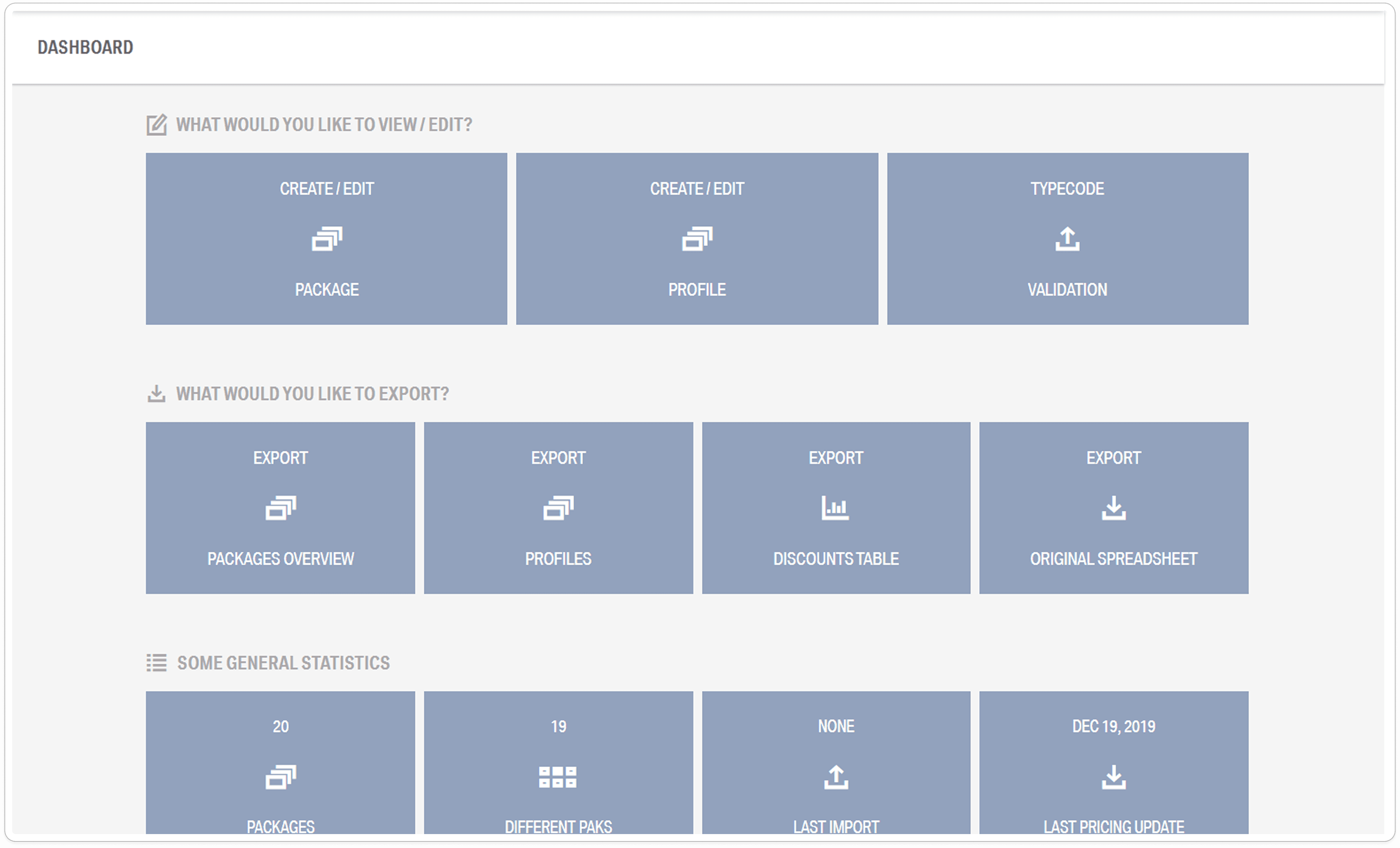
The tool worked technically, but it showed blue tiles with no deadlines, no status, and no unified data view. Managers couldn't see what was due, had to jump between systems, and gave up.
The End Result
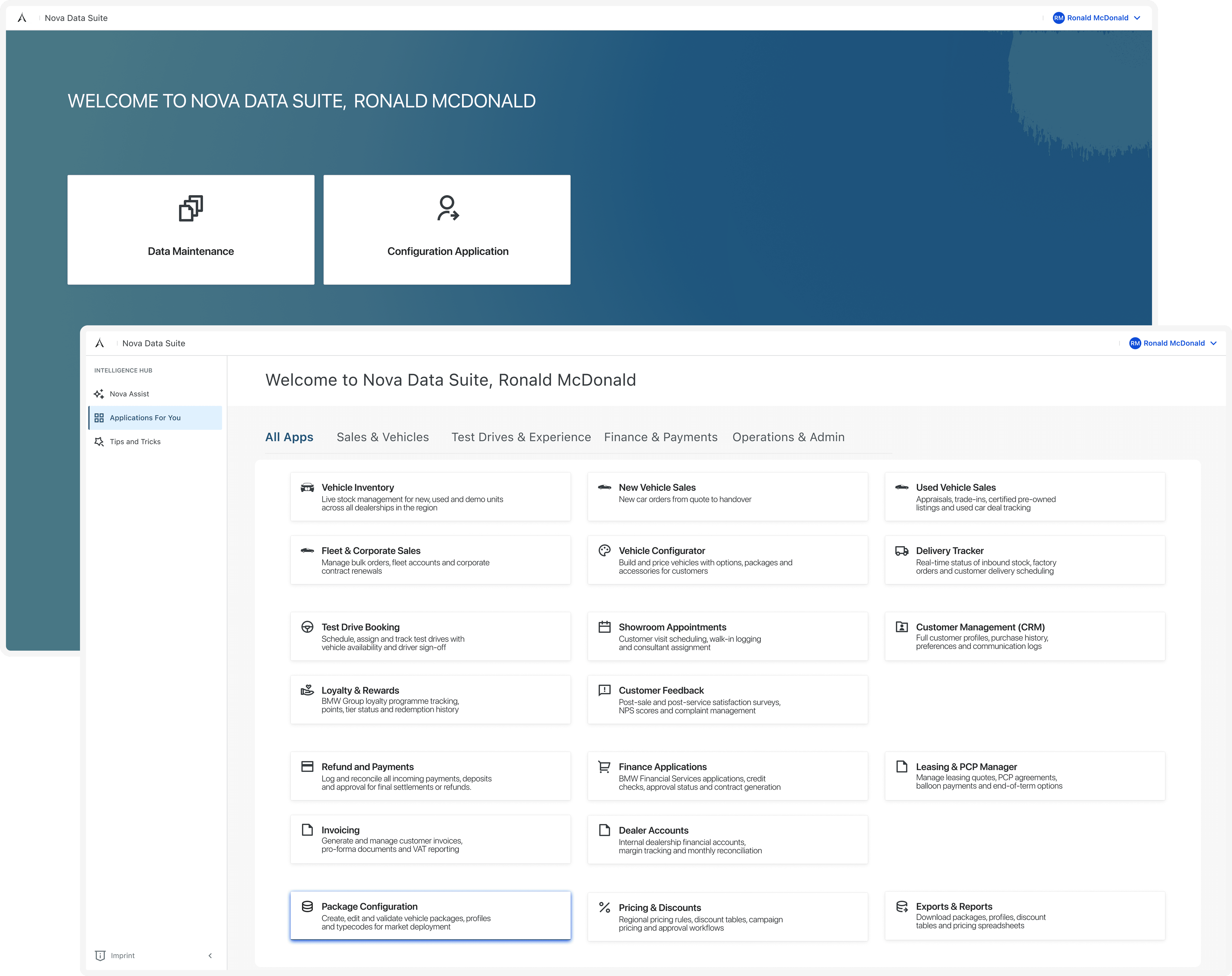
Full redesign integrated into BMW's ONE platform, with a deadline tracker, unified data view, and navigation built around the tasks managers do every day.
✦
BMW Group
✦
BMW Group
✦
BMW Group
✦
BMW Group
✦
BMW Group
✦
BMW Group
✦
BMW Group
✦
BMW Group
✦
BMW Group
✦
BMW Group
✦
BMW Group
✦
BMW Group
✦
BMW Group
✦
BMW Group
✦
BMW Group
✦
BMW Group
✦
BMW Group
✦
BMW Group
The Problem
The tool existed.
But nobody wanted to use it.
BMW had built an internal data management tool for regional managers. The people responsible for tracking dealer performance, deadlines and data across multiple locations. But when I joined the team, I discovered something that should have been a red flag from day one: managers weren't using the tool.
They had quietly gone back to Excel. They were copying data manually, building their own tracking sheets and managing their work in spreadsheets they made themselves. That's not laziness that's a signal that the tool was making their job harder, not easier. My job was to find out exactly why.
When users build their own workaround, they're not being difficult. They're
telling you the tool failed them. That's where I started.

01
Data came from too many places
Information was pulled from multiple dealer systems but never shown together in one place. Managers had to jump between sources just to get a full picture of what was going on.
Fix: one view that brings everything together.

02
Nobody could see when things were due
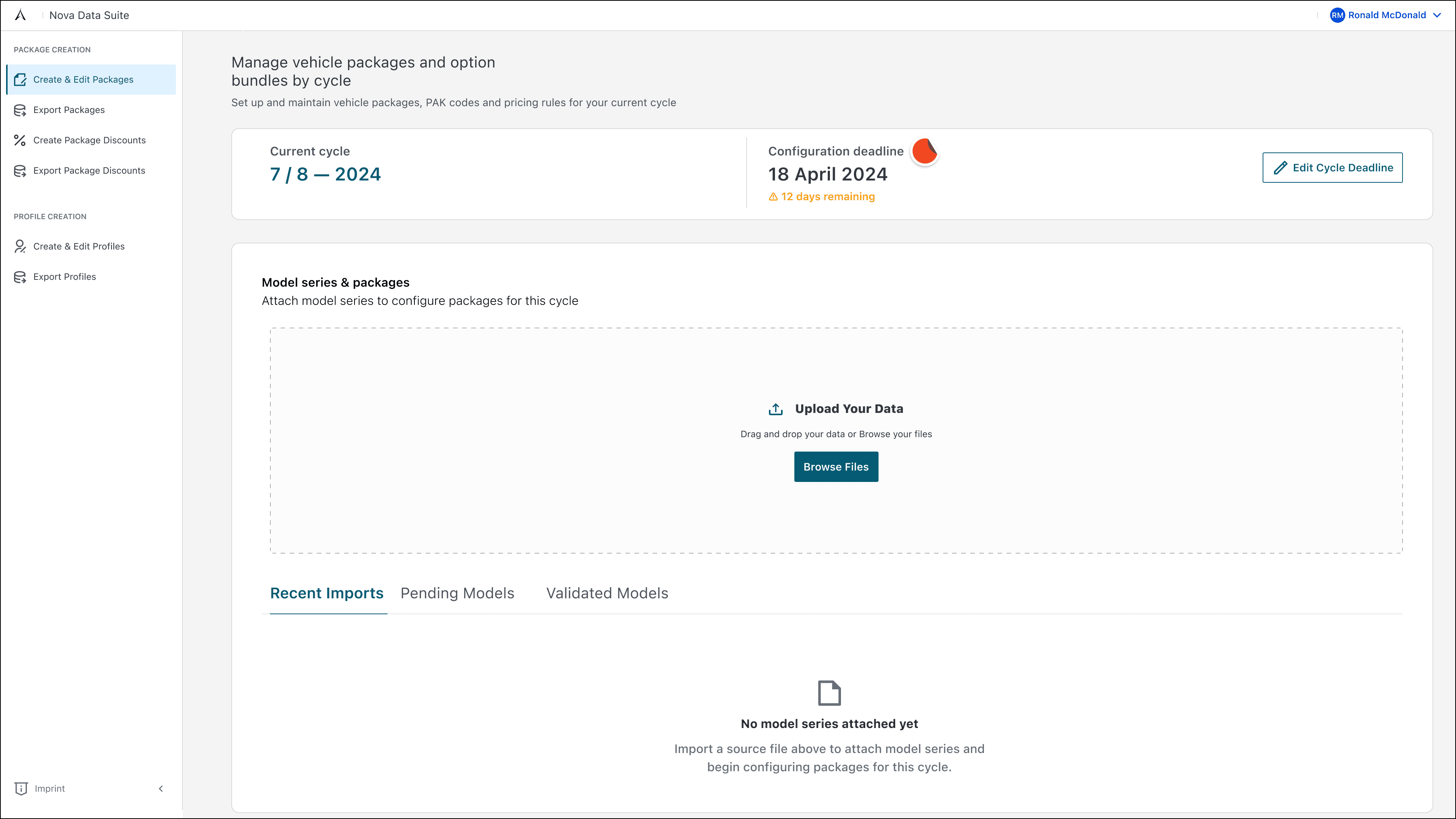
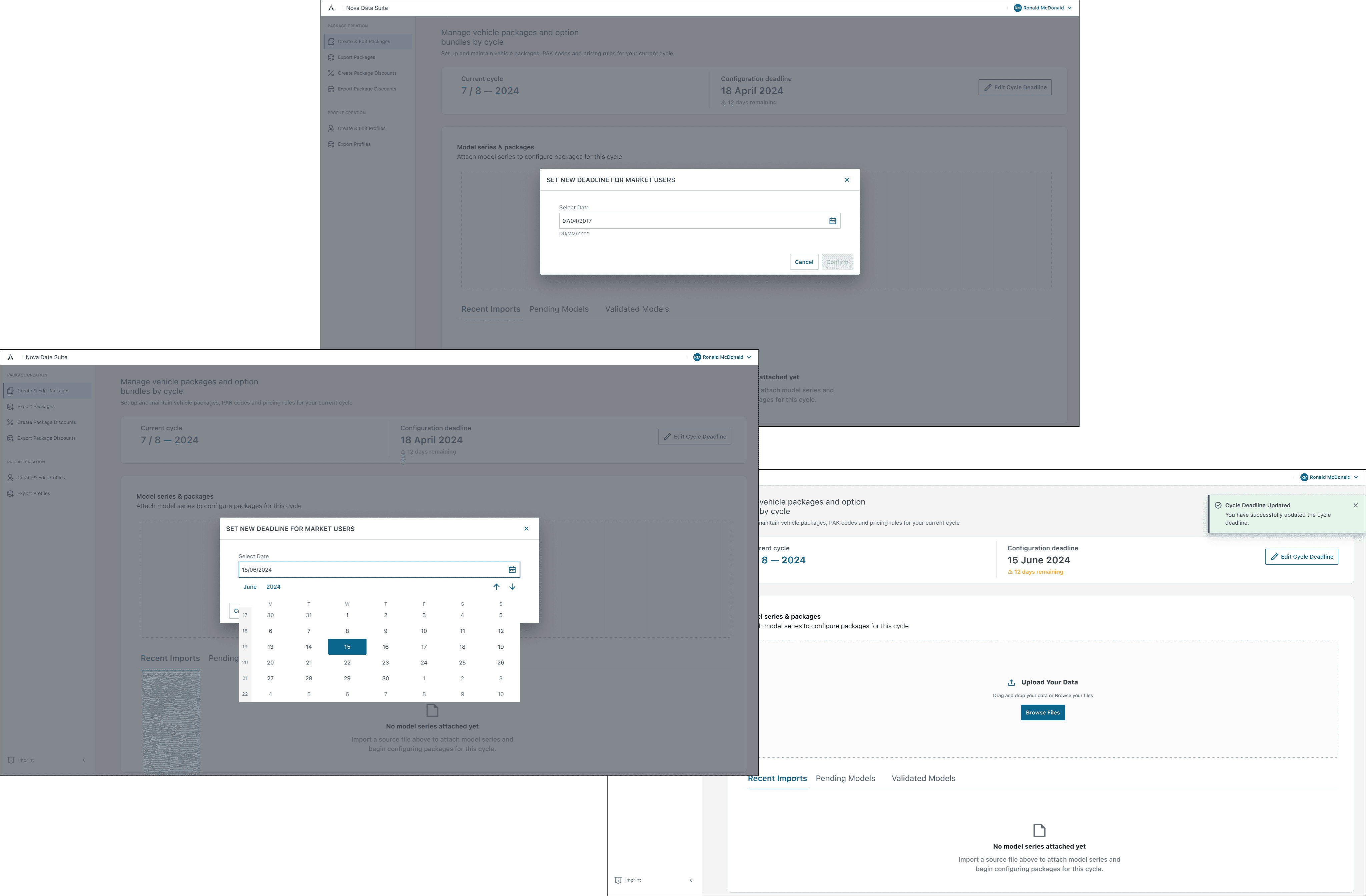
Deadlines weren't visible in the tool at all. Managers didn't know what needed to be done or when so they'd miss things or create their own tracking in Excel to keep up.
Fix: a deadline and status tracker built right in.
03
It was too slow and hard to get around
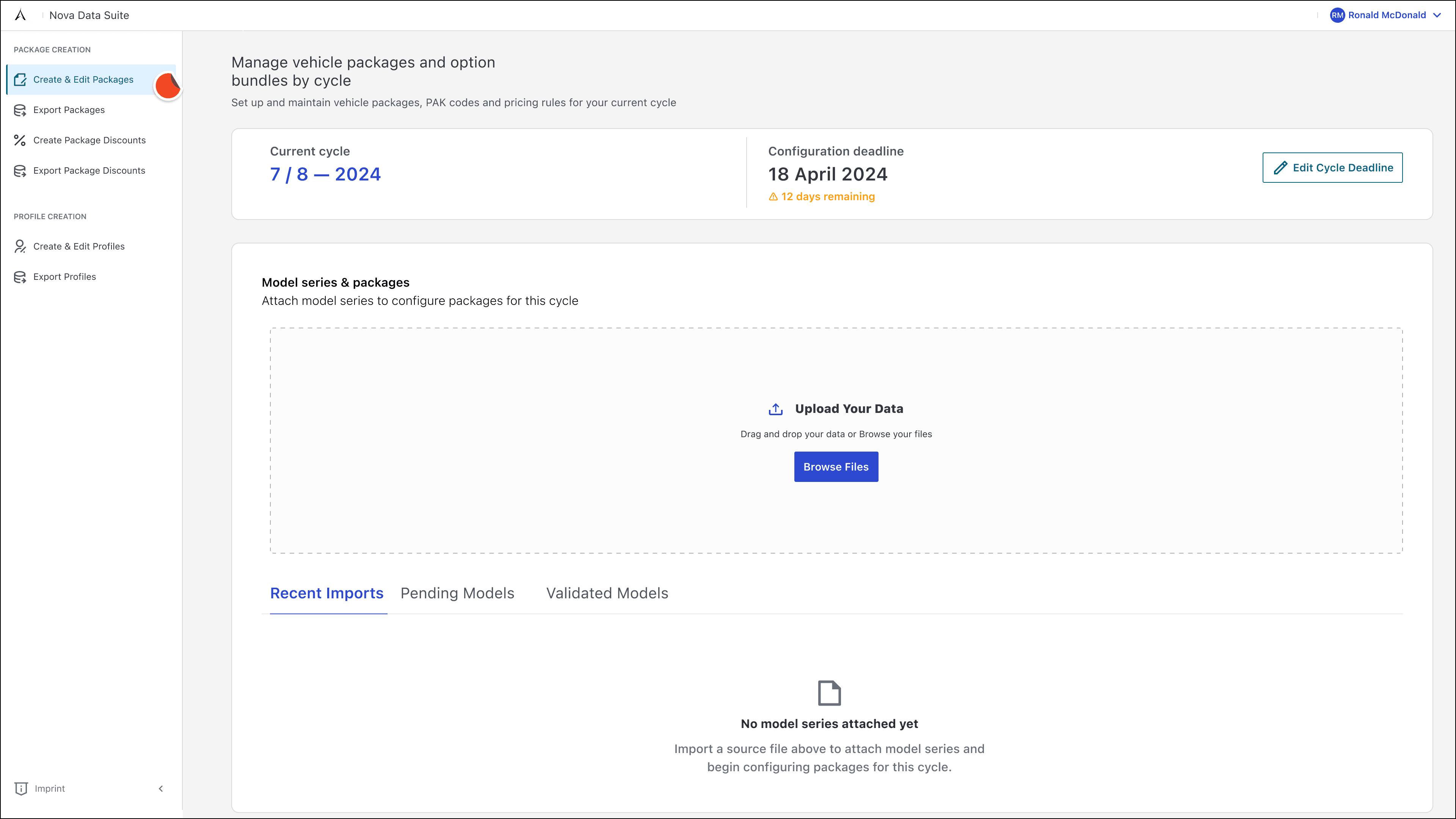
Getting to the information you needed took too many clicks and too much waiting. When your job is already busy, a slow tool isn't just annoying, it's a reason to stop using it.
Fix: faster, simpler navigation with fewer steps.

04
Nobody had ever asked the users what they needed
The tool had been built by engineers with no UX input. It worked technically. The data was there, but it had never been designed around how managers actually think and work day to day.
Fix: start with user interviews before touching any designs.
Earning a seat at the table
What Nobody tells you about being the only designer. Earning respect in a room full of engineers is not easy.
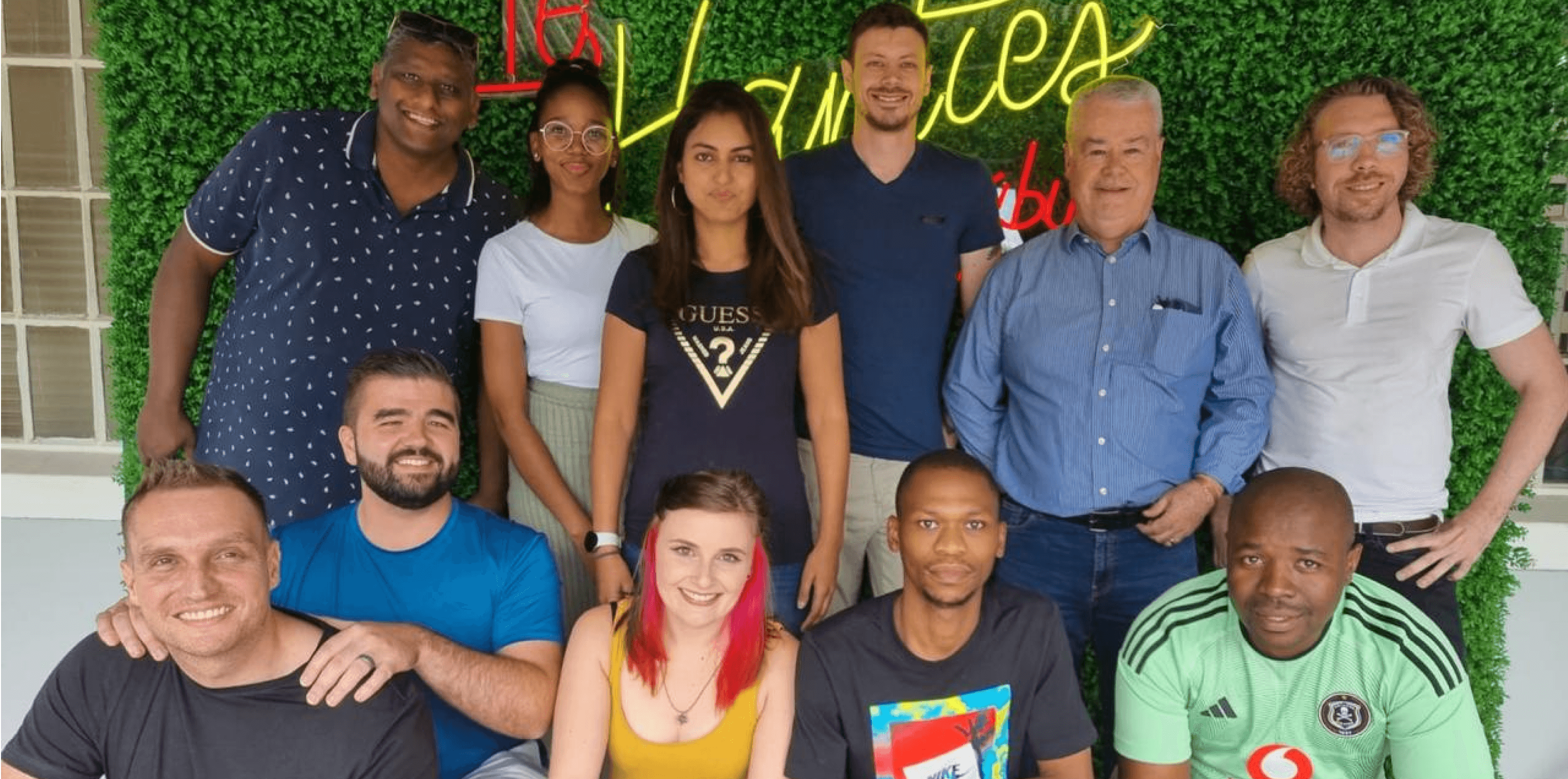
The engineering team were good at what they did. But they'd never worked closely with a designer before. Nobody had explained to them, why the way something feels to users and why it matters as much as whether it works technically.
My first job wasn't to open Figma. It was to earn a seat at the table.
I didn't argue or present slides about design thinking. I built clickable prototypes and brought real managers into the room to use them while the engineers watched. When a manager spent four minutes trying to find something the engineers thought was obvious, the room went quiet.
After that, the conversation changed. They started asking me questions instead of explaining why things were fine as they were.
That moment, watching the engineers watch the users was the turning point for this whole project.
Meeting the Managers
One-on-One and as a group
Before I touched a single screen, I ran a mix of one-on-one and group interviews with 10 regional managers. I asked them not just to describe their problems, but to show me how they worked in real time. The difference between the two formats was important.
One-on-one interviews
Where the real frustration came out
In private, managers were much more honest. They told me they'd stopped trusting the tool because data was wrong or missing. They'd
built their own Excel systems because they couldn't afford to miss a deadline waiting for the tool to catch up.
"I just don't trust what it's showing me. I check it in Excel anyway."
Group sessions
Where the shared pain became obvious
In group sessions, I asked managers to walk through a typical task together. When three different people hit the same dead end trying to find the same piece of information, it stopped being an individual complaint and became a clear design problem.
"Oh, you do it that way too? I thought it was just me."
The design
A full redesign. Every decision is tied to something a manager told me.
I didn't tweak the existing tool. I redesigned it from the ground up, starting from the interview findings and building every decision back to a specific problem a real manager had described to me.
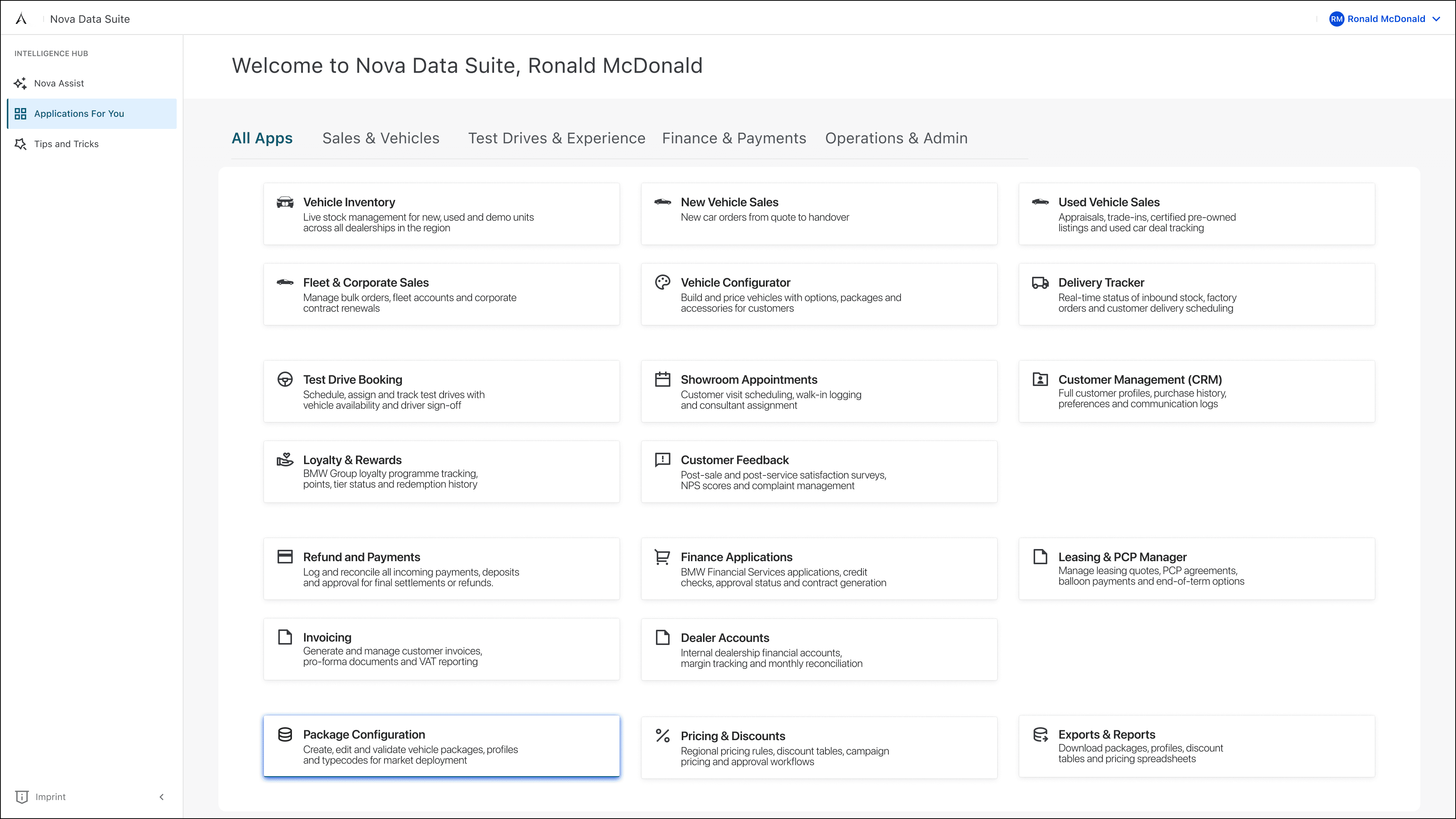
01 . One View for All Applications
02 . Deadlines you can actually see
03 . Navigation made easy
04 . I showed old vs new side by side in a meeting
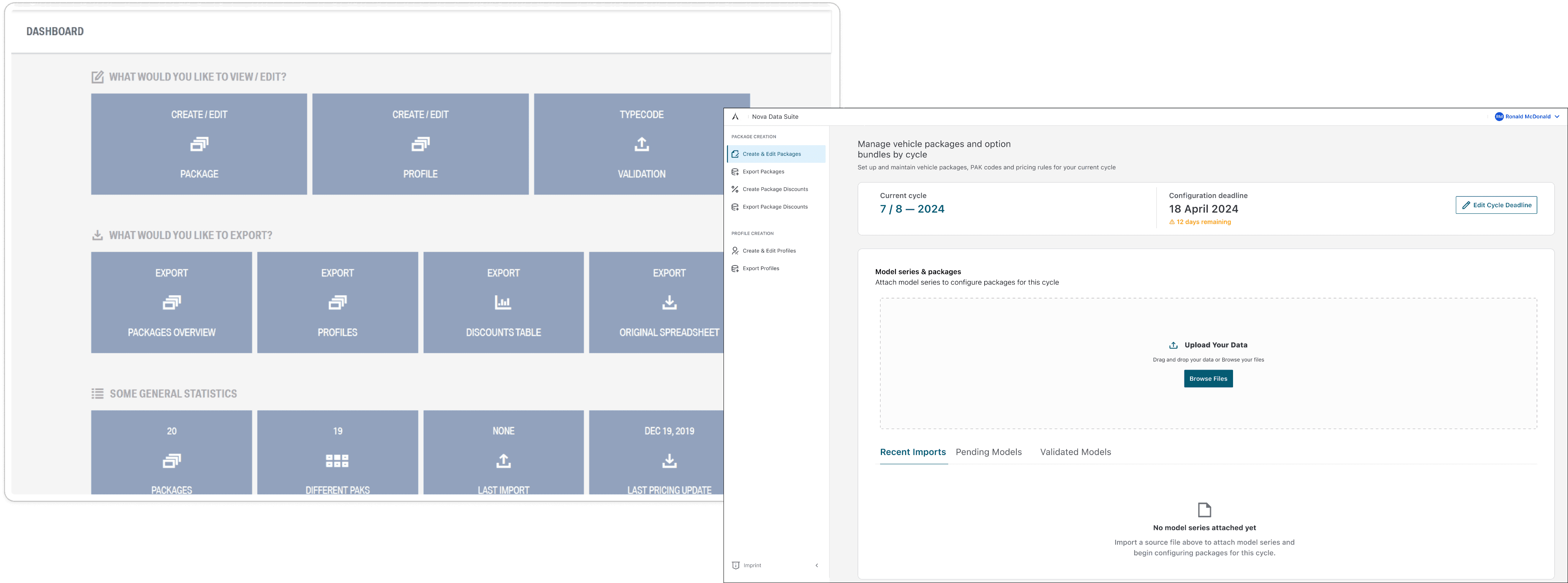
The redesigned Data Management Tool was built around how managers actually
work, not how the system was built.
Pushback
The Product Owner pushed back.
The user research pushed back harder.
Not everything I designed made it in. The Product Owner wanted to cut scope to hit the deadline and some features managers had specifically asked for were at risk. Here's how I handled it.
The challenge
The Product Owner wanted to reduce scope to meet the release deadline. Several features that came directly from user interviews including the deadline tracker and the combined data view were flagged for cutting. These weren't nice-to-haves. They were the reason managers had gone back to Excel.
How I responded
I went back to the interview findings and mapped each at risk feature to a specific user problem. I made one point clearly: if we cut the deadline tracker, managers will go back to Excel. If we cut the combined data view, they'll keep jumping between systems. We kept both. 80% of the redesign shipped.
What changed
From a broken tool managers avoided to a platform they actually use.
The journey from broken data management tool to a connected platform didn't happen overnight. But the impact at each stage was clear managers had better tools, engineers had a designer they trusted, and the product kept growing.
95%
of the redesign shipped despite scope pushback
0
Excel workarounds needed after the redesign launched
1
connected platform designed to replace 3+ separate tools
What I took away from this
Being the only designer is lonely.
It's also where you grow the most.
This project taught me that great design is only half the job. The other half is helping the people around you understand why it matters without being preachy or difficult about it. I couldn't just make great screens and expect the team to follow.
I had to show them with prototypes and real users in the room why the way something feels to use changes whether people use it at all. The 20% that didn't ship? I understand why. Deadlines are real and resources are limited. What I'm proud of is that the 80% that did ship was the right 80%, the features that were going to make the biggest difference to the managers opening that tool every single morning.
And Nova Data Suite? That wasn't in the brief. That came from paying attention to the bigger picture and asking a question nobody else had thought to ask: what if all of this was connected? Sometimes the best work you do starts as a side thought in a meeting.